

VELATEMOR
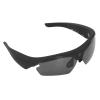
VELATEMOR Sport Camera Sunglasses, 1080P FHD Video Recording Glasses for Cycling Driving Hiking Fishing, Black
554,32 kr.
923,87 kr.
-
 Order within 4 hours and 27 minutes to get between June 11 - June 17
 -
 Tracked Shipping on All Orders
-
 14-Day Returns
- Secure Payments
-
 24/7 Customer Support
Description
- HD Polarized Lenses: High definition polarized lenses resist reflected light, filter harmful light, and make vision clear and comfortable without glare.
- High Definition Camera: The glasses are equipped with a HD camera, which can take good quality photos and recordings and record wonderful moments.
- Maximum Support 256G: The storage space is large, and the maximum support memory is 256G micro memory card, which is more convenient to use.
- Scope of Application: HD1080P camera glasses is suitable for different face shapes. Suitable for different sports scenarios, such as car driving, riding, fishing, etc.
- Camera Glasses Design: Embrace design, non slip foot cover. Arc appearance design, can widen the field of vision and wide viewing angle.
Description
Spec:
Item Type: HD1080P Camera Glasses
Material: ABS
Weight: Approx. 164g / 5.8oz
Video Format: AVI
Video Encoding: M-JPEG
Video Resolution: 1920x1080
Video Frame Rate: 30FPS
Playback Software: Operating System Built in or Mainstream Audio and Video Playback Software
Image Format: JPG
Photo Element: 2560x1440
Aspect Ratio: 16:9
Support System: for Win7, for WinMe, for WinXP, for Win2000, for Vista, for IOS10.5
Charging Voltage DC 5V
Interface Type: Micro USB
Storage Support: Maximum Support 256G (Micro Memory) (Not Included)
Battery Type: Lithium Polymer Battery, Capacity 320mAh (Shipped with Built in Battery)
How to Use:
A) Power on, Photo, Camera Power on: Press and hold the power Option for about 5 seconds, the blue light will light up, and the device will vibrate once to enter the standby state. Photo mode: Toggle the switch to the photo taking position, short press the power Option once, the blue light flashes once and then turns on, and the device vibrates once for a short time to complete the photo and generate a JPG file.
Camera mode: toggle the switch to the recording position, short press the power Option once, the blue light flashes three times quickly and then slowly flashes, and the device vibrates once to start recording. In the camera mode, short press the power Option once, the blue light flashes three times and then stays on, and the device vibrates once, stops the camera and automatically saves an AVI format file, and enters the standby state. B) Shut down, press and hold the power Option for about 3 seconds, the blue light flashes once and then goes out, and the device vibrates once, the device automatically saves the file and shuts down.
C) Reset Press the reset Option to reset.
D) Time setting:
1. Insert the machine into the micro memory memory card first, after connecting to the computer, find a new removable disk.
2. Open the disk,
Shipping and Returns
- We offer tracked shipping on all orders. Tracking information will be shared as soon as the order is dispatched.
- Please check the delivery estimate before adding a product to the cart. This is displayed for every product on the website.
- Available shipping methods and charges will be displayed at the time of checkout, depending on your exact location.
- All customers are entitled to a return window of 14 days, starting from the date of delivery of the product(s).
- Customers are advised to read our return policy for details of the return process, eligibility, refunds as well as cancellations or exchanges.
- In case of any issues or concerns about Shipping or Returns, please contact us and we will be happy to help.
VELATEMOR.
VELATEMOR Sport Camera Sunglasses, 1080P FHD Video Record...
554,32 kr.
923,87 kr.